
News Today: Local & Alerts
Apps SkylineNews & Magazines
4.4340.00 Reviews
- Version
- 1.16.0
- Installs
- 1.00M
- Age Rating
- Everyone
Screenshots
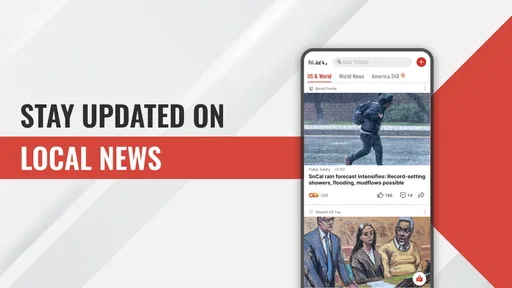
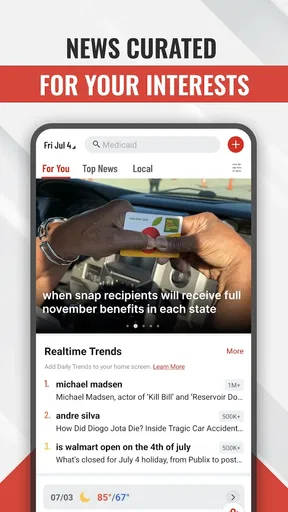
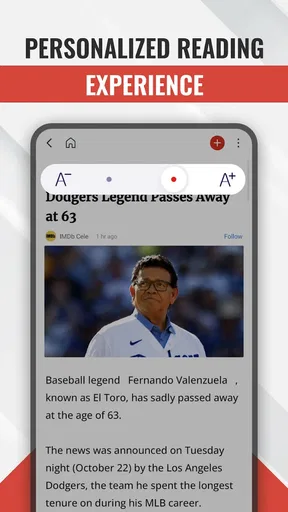
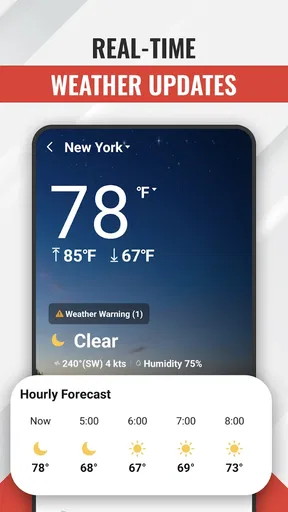
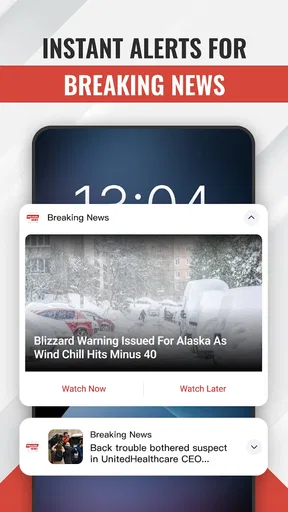
Our Review of News Today: Local & Alerts
 Analysis by Appyee
I tend to check the news in short bursts: before heading out, during a break, and when something nearby might affect my plans. Breaking News: Local & Alerts is aimed at that habit, bringing local updates and alerts into a news app rather than asking me to scan several sources. My main question while using it is practical: does it help me decide what to do next, or just add more notifications to an already busy phone?
From a quick check to a useful plan
The app makes the most sense when I treat it as a first stop, not as the final word on every developing story. I open it to get a sense of what is happening around me, notice an update that could affect my day, and then decide whether I need to read further or check another source. That workflow suits local news because its value often comes down to timing and relevance.
Starting with the right signal
On a busy morning, I would first look for anything that could change the route, timing, or shape of the day. A local alert can be more immediately useful than a long national headline when I am deciding whether to leave now or wait. The key is to make location-based news serve a specific purpose: a quick situational check, rather than a constant stream to monitor.
Breaking News is a free news and magazines app from Apps Skyline. It has a 4.5 average from around 2.7 thousand ratings, and more than 500 thousand installs. Those figures suggest it has found an audience, but the more important question for me is whether its local emphasis fits the way you actually follow the news. If you mainly want national or international reporting, a publication’s dedicated app may serve you better.
Making a quick check worthwhile
The useful routine is simple: open the feed when you have a moment, scan for items that affect your area, and only spend longer on stories that matter to your plans. That helps prevent a local-news app from becoming another endless scroll. If I am heading out, I care more about a relevant change than a dozen stories I cannot act on.
For example, before leaving for work, I might check for an update that could affect my usual trip. If a story catches my attention, I can read enough to understand the situation, then decide whether to adjust my plans or confirm details elsewhere. That last step matters: an alert can point me toward a developing event, but I would not treat a brief notification as a complete account of it.
Handoffs between headlines and decisions
Local updates work best when they lead to a clear next action. I might use a headline to decide to leave earlier, check a route through a separate navigation app, or look for a direct update from the relevant local authority. Keeping those jobs separate is sensible: a news feed helps me notice a possible issue, while a dedicated map or official channel is better for precise directions and instructions.
The same distinction applies to important or fast-changing events. I would use the app to become aware of a story, then seek confirmation from a reliable primary source before making a consequential decision. That is not a flaw unique to this app; it is a healthy habit with any news feed, especially when a short alert gives only the first outline of what is happening.
Choosing what deserves attention
News preferences are personal, and the app gives readers ways to shape what they follow and how often they receive notifications. I would start conservatively rather than enabling every alert. A smaller set of useful interruptions is easier to act on than a flood of pings, and I can always widen the mix if I find that I am missing topics I care about.
One practical tip is to review your settings after using the app through an ordinary week. Notice which alerts change a decision and which ones merely interrupt. Then adjust the balance around your real routine: someone who travels around town may value local developments differently from someone who mainly checks headlines at home. The best setup is not the busiest one; it is the one that earns its place on your lock screen.
When a news feed is not enough
For a broad overview, Breaking News: Local & Alerts offers a different starting point from following one newspaper or broadcaster alone: it puts local discovery at the center rather than making a single publication’s coverage the whole experience. That can be handy when you want to find out what is being discussed nearby. The trade-off is that a general feed may not give the depth, editorial voice, or specialist reporting you get from a trusted outlet’s own app.
I would not use it as a substitute for a dedicated weather service, traffic navigation, or emergency notification system. Those tools are built around specific decisions and may be more appropriate when accuracy and direct instructions matter. I would also skip a local-first feed if I rarely care about nearby stories or prefer to follow a small number of established publications closely.
A realistic day with the app
Imagine I have a meeting across town and want to avoid setting off blindly. I check the news feed before leaving, spot a local development that might affect the trip, and read the story to understand the basic context. I then open my usual map app to choose a route. Later, during a break, I return to the news app to see whether there is a meaningful follow-up rather than repeatedly refreshing it while I travel.
That handoff keeps each tool in its lane. The news app helps surface a local issue; the map helps with navigation; a direct source can answer a specific safety or service question. It is a modest workflow, but it is more dependable than asking a headline to provide every detail I need.
What to expect before installing
The app is rated for Everyone, is free, and its current version is 1.12.1, with Android 8.0 as the minimum operating system. It was released on July 4, 2025, and has 269 written reviews. I would treat the rating as a broad sign of user reception, not a promise that every local feed will match my interests or that every alert will be useful to me.
It is also reasonable to wonder whether a local news app can cover every neighborhood equally well. Coverage and relevance naturally depend on where you are and what stories are being reported. I would try it with my usual location and interests in mind, then judge the value by whether it surfaces items I would otherwise have missed—not by how busy the feed looks.
If you prefer to read full articles from a particular publisher, check its dedicated app alongside this one. If you want a quick local overview and are comfortable following an alert with a second source when the stakes are high, this app has a clearer role. That distinction will help you decide whether it complements your existing news routine or simply duplicates it.
User-Friendly Interface: Navigating with Ease
Now, I’m not a tech wizard, but I appreciate an app that’s straightforward to use. The interface of this app is sleek and intuitive. Everything is just a few taps away, and the design is minimalistic, which I find refreshing. It’s not cluttered with unnecessary features, which means you can get to what you need without any fuss.
Whether you’re looking to browse the latest headlines or dive into specific topics, the app makes it easy. The search functionality is top-notch, quickly bringing up relevant articles and updates. And if you’re like me, you’ll appreciate the ability to save articles for later reading. Perfect for when you only have time for a quick skim.
Local Focus: Tailored News Just for You
One of the standout features of this app is its local focus. Unlike generic news apps that bombard you with global news, Breaking News: Local & Alerts zeroes in on what’s happening in your community. I’ve found this aspect particularly engaging, as it helps me feel more connected to my surroundings. Whether it’s a new restaurant opening or a community event, the app ensures I don’t miss out.
Plus, the app covers a wide range of local sources, ensuring you get a balanced view of what’s happening. It’s like having a personal news assistant who knows exactly what you’re interested in.
Customizable Experience: News Your Way
We all have our preferences when it comes to consuming news, and this app gets that. With customizable settings, you can tailor your news feed to match your interests. Whether you’re into politics, sports, or the latest tech trends, the app lets you prioritize what matters most. I’ve set mine to focus on local happenings and weather updates, and it’s been working like a charm.
Moreover, the app allows you to adjust notification settings, so you’re not overwhelmed with alerts. It’s all about balance, right? And if you’re worried about data usage, the app is optimized to ensure it doesn’t eat up your bandwidth.
Why It’s Worth a Download
In today’s fast-paced world, staying informed is more important than ever. Breaking News: Local & Alerts makes it easy and efficient. With its real-time updates, user-friendly interface, and focus on local news, it’s a must-have for anyone looking to stay connected with their community.
I’ve found it invaluable for planning my day and staying ahead of any unexpected events. So, if you’re tired of feeling out of the loop, give this app a try. It’s like having a personal newscaster right in your pocket.
Ready to stay updated? Head over to the app store and download Breaking News: Local & Alerts today. Trust me, you won’t regret it.
Verdict
Strengths of News Today: Local & Alerts
- Real-time updates keep you informed instantly.
- Customizable alerts for your preferred topics.
- User-friendly interface for easy navigation.
- Wide variety of news sources available.
- Offline reading mode for news on the go.
Limitations of News Today: Local & Alerts
- Frequent ads can disrupt the reading experience.
- Occasional glitches in push notifications.
- Limited customization in news categories.
- Requires a stable internet connection for updates.
- Some articles lack in-depth analysis.
Other Releases by Apps Skyline
View All
Daily News: Headlines & Alerts
News & Magazines4.3
Similar Picks in This Category
View All
Google News - Daily Headlines
Google LLC4.0

X
X Corp.4.8

Flipboard:Your Social Magazine
Flipboard3.4

Opera News: breaking & local
Opera4.5

Hindi News by Dainik Bhaskar
Dainik Bhaskar Group4.0

Way2News Daily News App
Way2News ( Formerly Way2SMS )4.6
Frequently Asked Questions
What features does Breaking News: Local & Alerts offer?
Breaking News: Local & Alerts provides real-time news updates, personalized alerts, and location-based notifications to keep you informed about events happening nearby. The app also offers a customizable feed that allows you to follow topics and regions of interest, ensuring you never miss the stories that matter to you most.
Is Breaking News: Local & Alerts available for free?
Yes, Breaking News: Local & Alerts is free to download on both Android and iOS platforms. While the basic features are accessible without cost, there may be optional in-app purchases available for enhanced functionalities, such as ad-free experiences or premium content access.
How do I customize my news alerts in the app?
To customize your news alerts in Breaking News: Local & Alerts, navigate to the settings section within the app. Here, you can select specific topics, regions, or keywords you wish to receive notifications about. This feature allows you to tailor your news feed and alerts to match your personal interests and preferences.
Does Breaking News: Local & Alerts require an internet connection?
Yes, an internet connection is necessary for Breaking News: Local & Alerts to function effectively. The app relies on real-time data updates to deliver the latest news and alerts. While offline, previously downloaded content may be accessible, but you will not receive new updates until reconnecting to the internet.
Is user data safe with Breaking News: Local & Alerts?
Breaking News: Local & Alerts prioritizes user privacy and data security. The app employs industry-standard encryption and privacy measures to protect your personal information. Before using the app, you may review their privacy policy to understand how your data is collected, used, and safeguarded.
